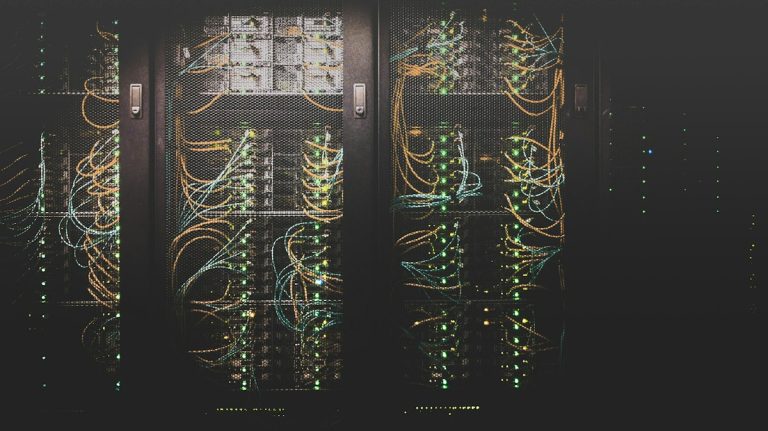
Essential IT Infrastructure for Small Businesses: A Step by Step Setup Guide
Quick answer: Essential IT infrastructure for small businesses comes down to seven layers set up in order: business owned accounts and a domain, a dependable internet connection, a secured office network, managed computers, a cloud platform for email and files, security tools with tested backups, and modern phone service. A typical office of 5 to 50 people can run all of it without an onsite server. Setting the layers up in the right order matters as much as the equipment, because each layer depends on the one beneath it.
Key points
- Start with ownership. The business, not an employee or contractor, should control the domain and every admin account.
- Copper phone lines are being phased out faster after a 2026 FCC order, which affects alarms, fax, and elevator phones.
- Most infrastructure is now a monthly cost rather than a one time purchase.
- Security and backups belong in the first week, not “later.”
- Plan for the headcount you expect in three years.
What is IT infrastructure in business?
IT infrastructure in business is everything a company’s people and processes rely on to use technology: devices, networks, software platforms, data storage, and the security controls around them. In any business organization, it answers four practical questions. Where does work happen? How does it connect? Where does the data live? Who is allowed in?
The IT infrastructure of any company, from a corner bakery to a global bank, answers those same four questions. A bank answers them with data centers and dedicated teams. A small business answers them mostly with rented cloud services, a handful of network devices, and well managed laptops.
Show Image Planning the setup before buying equipment saves money later. Photo: Unsplash
IT infrastructure essentials: the starter checklist
This table lists each essential, the minimum standard worth accepting, and its cost type.
| Component | What it does | Minimum standard | Cost type |
|---|---|---|---|
| Domain and admin accounts | Proves ownership of email and website | Owned by the business, stored in a password vault | Recurring, small |
| Internet | Connects everything | Business service plus automatic backup line | Recurring |
| Firewall | Filters traffic, separates networks | Business grade with security updates | One time plus subscription |
| Switch and access points | Wired and wireless connections | Managed devices, separate guest network | One time |
| Computers | Where work happens | Business models running Windows 11 Pro or macOS | One time, replaced every few years |
| Cloud platform | Email, files, identity | Microsoft 365 or Google Workspace with MFA | Recurring, per user |
| Security tools | Stops attacks | Endpoint protection, email filtering, password manager | Recurring, per user |
| Backup | Recovers lost data | Offline copy, tested restores | Recurring |
| Phones | Voice and fax | Cloud VoIP, no reliance on copper lines | Recurring, per user |
How to set up small business IT infrastructure, step by step
Small business IT infrastructure works best when you build it from the bottom up. Skipping ahead, such as buying laptops before the network is ready, usually means redoing work.
Step 1: Secure ownership of your domain and accounts
Register your domain in the company’s name and keep the master login for it, your registrar, and your cloud platform in a business password vault the owner controls. What most articles miss is that this step prevents the most painful small business IT crisis of all: the person who set everything up leaves, and nobody can log in.
Step 2: Choose a reliable internet connection
Pick business fiber where available, since it typically offers matching upload and download speeds for video calls and cloud backups. Add a second connection, such as cable or 5G, that takes over automatically. Once files and phones live in the cloud, an outage stops everything.
Step 3: Build and secure the office network
The network layer includes structured cabling, a managed switch, wireless access points, and a business firewall. Run cable to every fixed desk, printer, and access point before you move in, because adding it later means opening walls. NuxeTech’s structured cabling services cover this stage.
The firewall is the most important piece. It inspects traffic, blocks known threats, and keeps guest WiFi apart from staff devices. Without that separation, a visitor’s infected phone sits on the same network as your accounting computer. Ongoing network security services keep firewall rules and updates current after installation.
Show Image Labeled, documented cabling makes every future fix faster. Photo: Unsplash
Step 4: Standardize your computers
Choose one or two business laptop models, such as Lenovo ThinkPad, Dell Latitude, or HP EliteBook, so spare parts, drivers, and support stay simple. Use Windows 11 Pro rather than Home, because only Pro supports BitLocker management, Group Policy, and joining Microsoft Entra ID for central management.
Microsoft ended free Windows 10 support on October 14, 2025. Businesses keeping Windows 10 PCs now pay $122 per device for the second year of Extended Security Updates, rising to $244 in the third, so replacement is usually the better spend.
Step 5: Set up your cloud platform and turn on MFA
Microsoft 365 or Google Workspace becomes the center of the business: email, shared files, calendars, video calls, and the single login staff use for other apps. As of July 1, 2026, Microsoft 365 Business Basic costs $7 per user per month, Business Standard $14, and Business Premium $22, with Premium adding device management and advanced security.
Turn on multifactor authentication for every account on day one. A managed email and Microsoft 365 service can also configure sharing rules and license assignments correctly from the start.
Show Image Cloud platforms now replace the old email server and file server. Photo: Unsplash
Step 6: Add security tools and backups
Install endpoint detection and response (EDR) on every computer, add email filtering, and give staff a business password manager. EDR matters because it watches what programs do, so it can stop new ransomware that traditional antivirus has never seen.
For backups, CISA recommends maintaining offline, encrypted backups of critical data and regularly testing that they can be restored. Cloud platforms keep your services running, but recovering your own deleted or encrypted files is largely your responsibility. A managed data backup and recovery service handles the separate copies and the testing.
Step 7: Replace old phone lines and document everything
Move voice to a cloud VoIP system, then write down every device, account, license, and vendor contact in one shared document.
Why your old phone lines need a plan
Traditional copper phone lines, often called POTS lines, are disappearing faster than many businesses expect. On March 26, 2026, the FCC unanimously approved an order making it easier for carriers to stop selling and retire legacy copper services.
In practice, the risk isn’t your main phone number, which moves easily to VoIP. It’s the forgotten lines: fire and burglar alarm panels, elevator emergency phones, fax machines, and some card terminals. Ask your carrier which of your lines are copper, then plan replacements before a carrier sets the date for you.
What does small business IT infrastructure cost?
Small business IT infrastructure has shifted from big upfront purchases to steady monthly costs. Hardware such as laptops, firewalls, and switches is still bought periodically, but email, files, security, backups, and phones are now subscriptions billed per user.
That shift has a real upside: no server to replace every few years and costs that scale with headcount. The trade off is that subscriptions creep. Licenses stay assigned to people who left, and tools overlap. A quarterly review of every subscription keeps the monthly number honest. If you outsource management, US managed IT plans commonly run about $100 to $250 per user per month based on providers’ published pricing.
Planning for growth: when your infrastructure needs an upgrade
Your infrastructure needs an upgrade when growth starts showing up as friction. Common signals include wireless dead zones after an office expansion, a firewall that slows down under load, staff waiting on shared files, and nobody able to say who has access to what.
A switch or firewall sized for 10 people can become the bottleneck at 30, and replacing it early costs more than buying the right size once.
Who should manage your IT infrastructure?
A technically confident owner can set up the basics for a very small office, but most firms beyond about 10 people hand design and ongoing management to an IT partner. Setup is a one time project. Patching, monitoring, license cleanup, and backup testing are the ongoing work, and they’re what tends to slip when IT is someone’s side job.
Show Image Ongoing management matters as much as the initial setup. Photo: Unsplash
Frequently asked questions
What are the five main components of IT infrastructure?
The five main components are hardware, software, networking, data storage, and security. Together they let people use applications and data reliably.
Can a small business run without a server?
Yes, most can. Microsoft 365 or Google Workspace handles email, files, and user accounts, though some specialized software still needs a local server.
What should a small business set up first?
Start with business owned domain and admin accounts, then internet, the network, computers, the cloud platform, and security with backups.
Is a consumer router good enough for a small office?
Usually not. Consumer routers lack business firewall features, network separation, and long term security updates.
Do small businesses need a VPN?
Fewer do than before, because cloud apps work securely over the internet with multifactor authentication. A VPN still helps for reaching office resources such as a local server.
Should we buy Macs or Windows computers?
Either works. Windows 11 Pro fits firms using Microsoft 365 device management, while Macs suit teams that prefer them, as long as they’re centrally managed.
How long does it take to set up IT infrastructure for a new office?
A small office can often be set up in a few weeks, though cabling and internet installation can add lead time, so start early.
What is the difference between IT infrastructure and IT operations?
Infrastructure is the technology itself. Operations is the ongoing work of running, updating, and protecting it.
Do I need business internet or is home internet enough?
Business internet usually offers better support response times and service terms. Pairing it with a backup connection matters more than the plan name.
How do I know if my network is secure?
Check that the firewall receives updates, default passwords are changed, guest WiFi is separate, and remote access requires multifactor authentication.
What documentation should a small business keep about its IT?
Keep a list of devices, accounts, licenses, vendors, network settings, and where admin credentials are stored, updated whenever something changes.
What happens to our alarm and fax lines when copper is retired?
They need a replacement, such as cellular communicators for alarms and online fax services. Check with your alarm company and carrier before service ends.
Conclusion
For free, vendor neutral guidance as you build, see the CISA StopRansomware Guide for backup and hardening basics and the NIST Small Business Cybersecurity Corner for security planning written for small firms.